

3MF Editor News: A Package Tree Offers Another View
2026-11-02
3MF Editor News: A Package Tree Offers Another View
A rendered model and a package tree can make different aspects of a manufacturing file visible. One helps a reader see a representation of the object; the other helps explain how the file is organized. The 3MF Consortium’s 2026 Editor announcement brings the second view into focus. This article reads the announcement and project repository on November 2, 2026. It discusses a proposed file-reading exercise without downloading an editor, opening a real customer file, or claiming a validation result.
The announcement introduces a structure-oriented tool
The Consortium’s announcement, published May 30 and displaying a June 11, 2026 update, describes the first public 3MF Editor release. It includes a package tree, XML editing, and several validation levels. Those are the announced tool capabilities; they are not observations obtained by this article.
The official repository identifies development and test-case work as a primary use case. That context helps explain why a structural view can be useful even when a downstream application already shows a model. The two views serve different reading questions.
Ask a structural question before opening a tool
Consider a fictional training exercise in which a learner is given an authorized sample package. The task is to explain which parts of the package a particular review concerns. A package tree could help the learner see organization, while a rendered preview could help discuss visible geometry. The exercise should name its intended question before selecting a view.
For example, the learner might need to distinguish an internal part from a relationship that points to it. This is a proposed conceptual question, not a finding about an actual file. The article does not supply a sample archive or imitate its contents with a fake file listing.

The question may reveal that the learner needs more than a visual preview. That does not make the preview wrong; it simply identifies another layer of information. A good teaching explanation should show why the second view is relevant instead of presenting it as automatically more authoritative for every purpose.
Reading structure and changing structure are separate activities
An editor can provide both inspection and modification functions. A learner should know whether an exercise is asking for a description or a change. If the objective is to understand the supplied package, silently editing it would make the later discussion harder to interpret.
For the fictional activity, retain the original sample and distinguish any experimental copy if changes are later authorized. That is an editorial proposal for making the exercise understandable. It is not a claim that we performed such a copy or that the project requires this particular classroom method.
A structural edit also should not be described as a physical repair. Moving or changing information inside a file and repairing a manufactured object are different activities. The tool news does not establish that either activity has occurred in a particular production workflow.
A validation label needs its selected scope
The announcement describes several validation levels. A report should therefore identify what was actually selected and what result was observed if a real validation is performed. A generic “checked” label could leave readers unsure whether one part or a broader structure was involved.
Even then, a validation result should remain attached to the file and rules examined. It cannot alone establish that a printer will produce an appropriate object or that a manufactured part meets an intended use. Those claims concern additional objects and evidence.
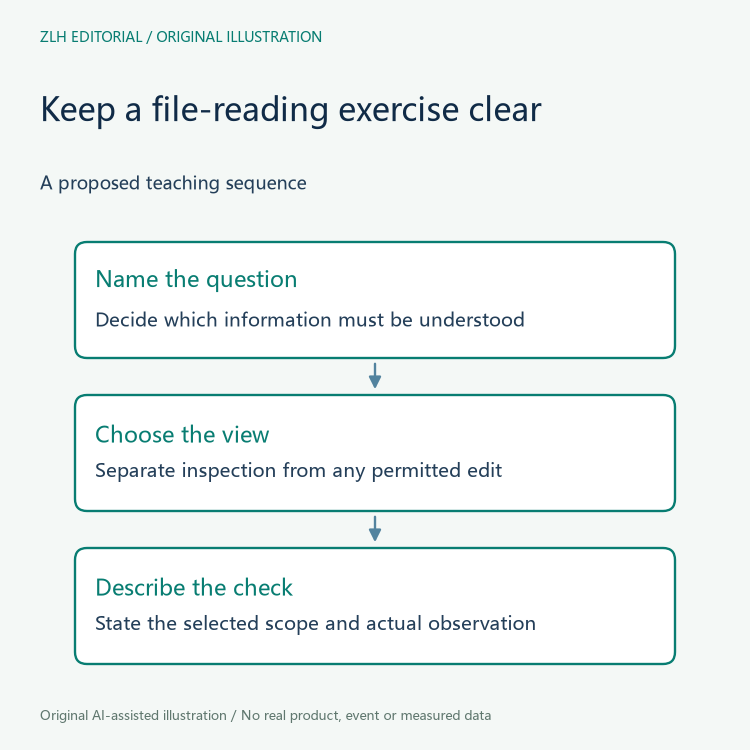
The fictional learner can discuss those limits without manufacturing a successful result. A proposed exercise remains useful when its outcome is open. Its purpose is to help participants understand what a selected view or check would answer, not to give the appearance of completed software testing.
Make the briefing a route into the actual documentation
A concise briefing can identify the announcement date, the structural-reading use case, and the difference between inspection, editing, and validation. It can then point readers to the project’s own material for the actual tool details. That is more useful than presenting every feature as a guarantee about arbitrary files.
The project materials also describe limits and known issues. A real user should read the relevant current documentation before choosing a workflow. This article has not evaluated suitability for large production packages or any particular downstream application.
In the proposed classroom discussion, the learner’s final note could explain which view answered the original question and which questions remained open. Such a note would show understanding without claiming that the sample was printable or physically correct. It would also make the difference between a plan and an observation visible.
Related topics appear in our additive manufacturing briefings, with more reading in the article directory. The two original illustrations contain no real package contents, rendered product, or validation output. They show why a package tree is another view of information rather than a universal approval of a manufacturing file.


